Product update

A clearer leave page

Apply first, balances that explain themselves, and the numbers in front of you before you commit, whether you are booking the leave or approving it.

Almost everyone who opens the leave page is there to do one thing: book time off. We have rebuilt it around that, with every figure you need in one place, right where the decision gets made.

  • Employees

    Your balance before you send the request, and the whole leave year laid out.

  • Approvers

    The same figures inside the approval, day by day.

  • HR admins

    Balances that need attention, flagged in the table.

Apply comes first

The page is four tabs now, and Apply opens by default. Pick your dates and it tells you how many working days that is, what your balance will be on the first day, and what is left after. Accrual between now and then counts, and so does leave you have already had approved.
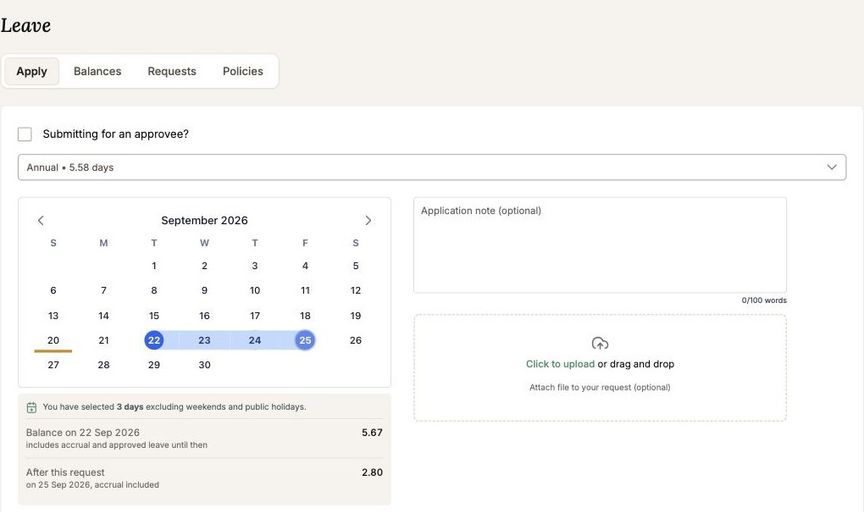
The leave page open on the Apply tab, with dates selected and the projected balance below the calendarThree days, not four: 24 September is a public holiday, so it is not counted.

Your leave year on one line

Annual leave opens onto the whole cycle: what you carried in, what you have earned so far, what you have taken, where you stand today, what is booked ahead, and what you finish the year on. Every figure says what it is based on. Where your employer expires carried-over days, the days at risk are flagged with the date they lapse.
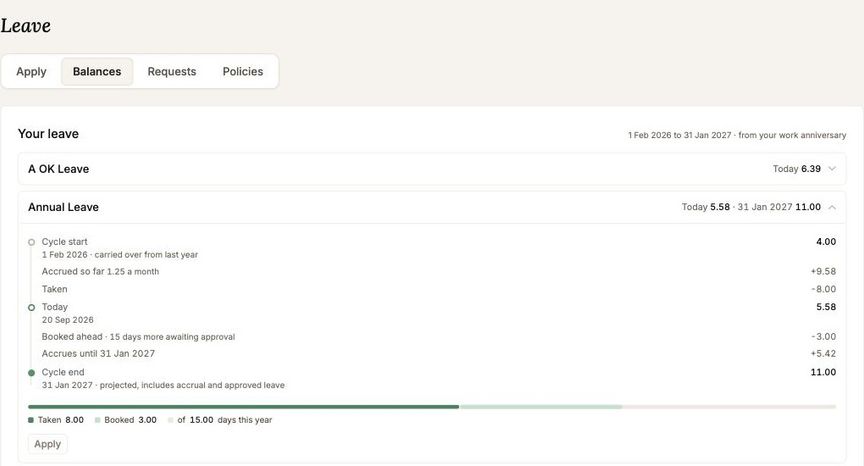
The annual leave view showing cycle start, accrual, leave taken, today, leave booked ahead and the cycle end figure

Approvers see the same numbers

Reviewing a request opens on the figures: days requested, the balance today, and what it will be after. Open the balance and it is broken down for every day of the leave. Other upcoming leave, and who else on the team is away, sit underneath.

If a request would take someone below zero, the approver is told which day it happens on, and can still approve it.
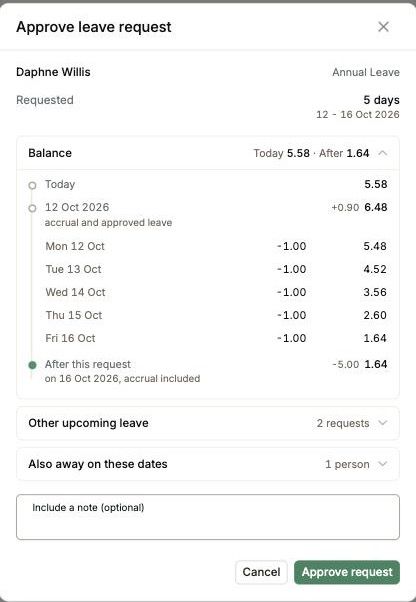
The approve leave request dialog, showing the balance today, on the start date, and for each day of the leaveThe balance for every day of the leave, not only the start and the end.

What needs attention

The balances table flags what needs attention: negative balances, and balances above the employer's carry-over cap, counted in the header.
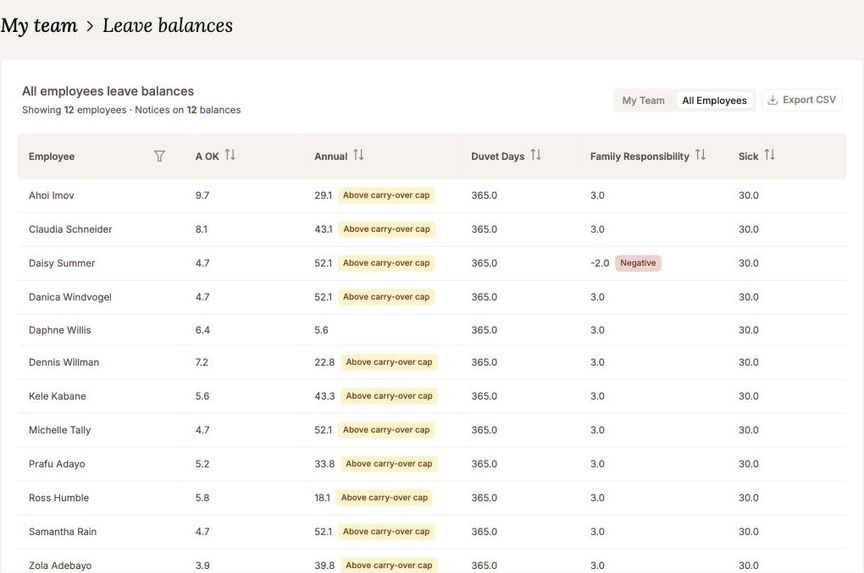
The all employees leave balances table, with above carry-over cap and negative balance flags and a count in the header