One form, whichever allowance it is
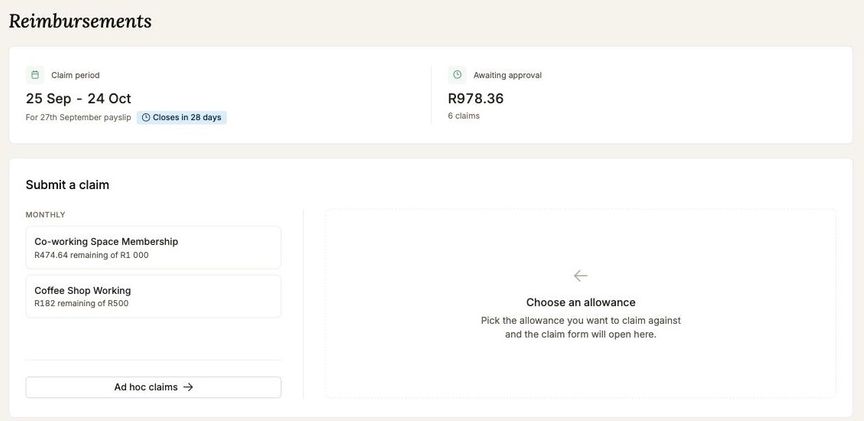
Every allowance now opens the same claim form. Pick what you are claiming against, fill it in, attach the receipt, send. The page itself is quieter: a status row across the top tells you where your claims stand, and the allowances below it read as a list rather than as a wall of coloured blocks.
On a phone the receipt never has to become a file first. Tap to attach and your camera opens, so you can photograph the slip at the till and submit before you have left the counter. A photo already in your library works the same way, as does a PDF invoice forwarded from your email, and you can put up to five on a single claim.
The receipt, open beside the claim
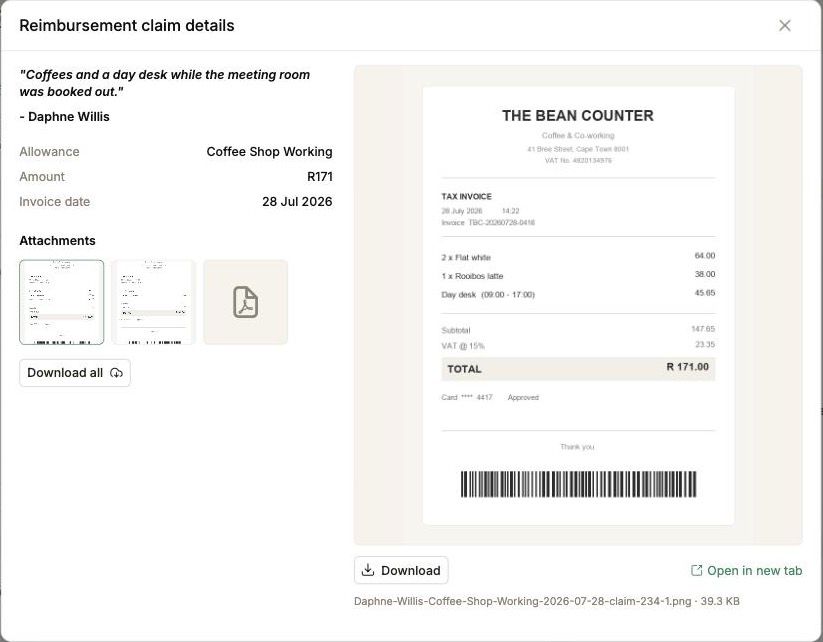
Click the paperclip on any claim, yours or one you are approving, and the receipt opens in the dialog next to the claim's own details: the allowance, the amount, the invoice date. Images render in place and a claim with several files gets a strip to switch between them.
Downloads come out named after the claim rather than as a string of characters, so a folder of receipts is still readable a month later. The paperclip is a proper button now, so it works from the keyboard.
Travel, priced at the daily rate
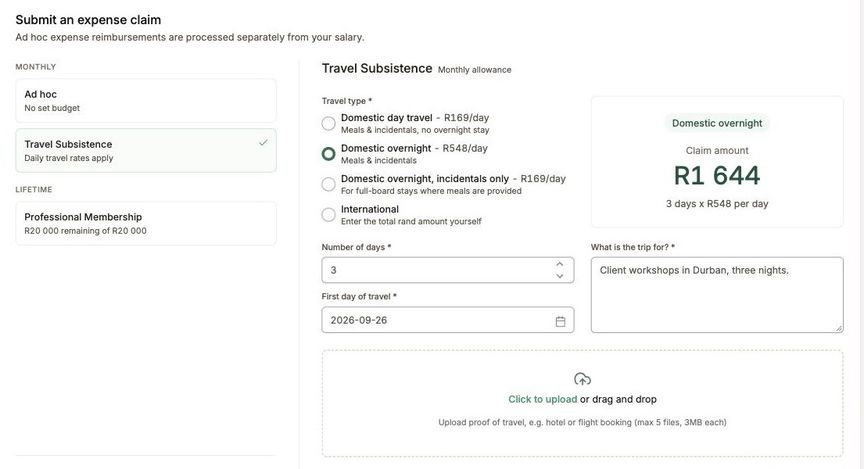
Travel allowances can use a per diem form. Say whether it was a day trip, an overnight stay, or overnight with incidentals only, and how many days, and the claim is priced from the SARS daily rates your employer has set. International travel takes the country and the total you actually spent.
The approver sees the breakdown in the claim, so there is nothing to explain in a note.
Approved once, then paid
A claim reaches your approvers the moment you send it. Once it is approved, it goes straight onto your employer's payroll and is paid with your salary, or into their accounting system where that is how they settle expenses. Nothing is re-keyed in between, so the figure that was approved is the figure that reaches you, and the claim carries its own record of who approved it and when.
Who may approve what is set by your employer for the whole company, in layers: the manager who signs off your claim, and finance behind them holding the connection to the accounting system. Your approver does not need an account with that system to approve your claim, which is why sign-off does not stall waiting for someone who has one.
