Everyone, on one screen
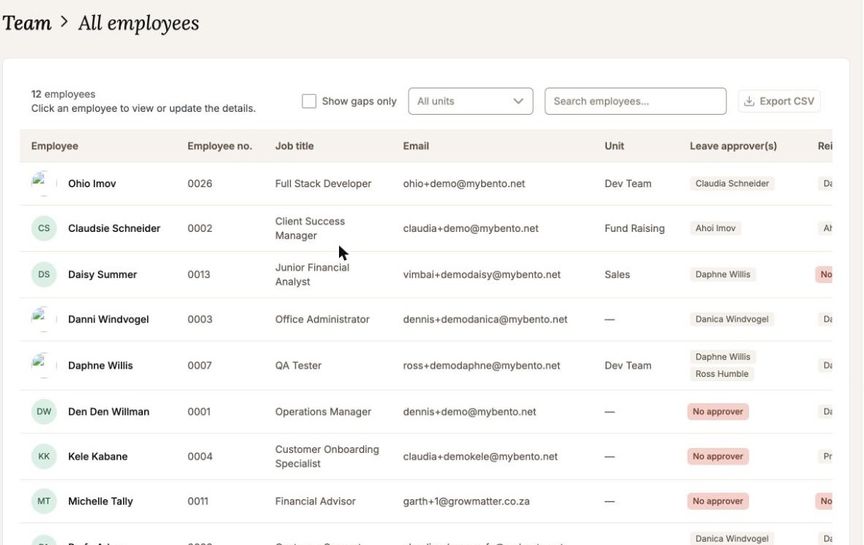
All Employees lists every active person with their unit, email, bank details and both sets of approvers. Click a row to open that person.
The table flags what is missing rather than leaving a blank: a placeholder email, no bank details, no approver. Turn on Show gaps only and you get the list of people whose setup is incomplete, which is usually the list you were looking for.
Approvers for a whole group at once
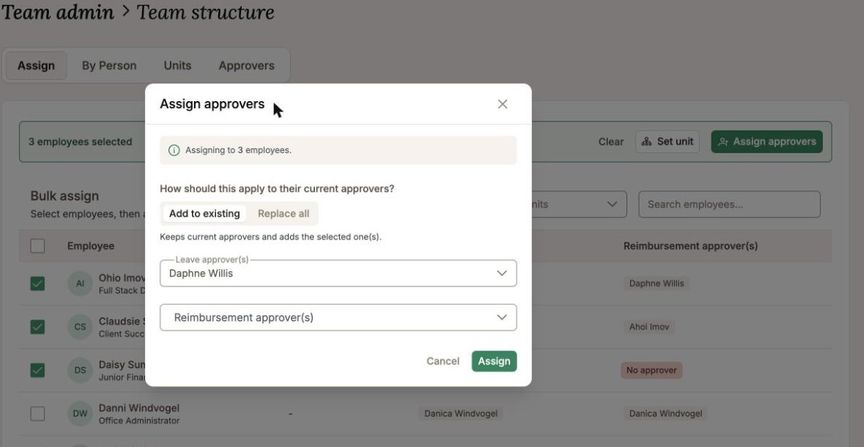
Team Structure opens on Assign: tick the people you want, choose their leave or reimbursement approvers, and apply. You can add an approver alongside the ones already set, or replace them, and the dialog reports what succeeded and lets you retry anything that did not.
Who reports to whom, and who has nobody
By Person shows one employee's approvers and, underneath, the people who report to them, with add and remove in place.
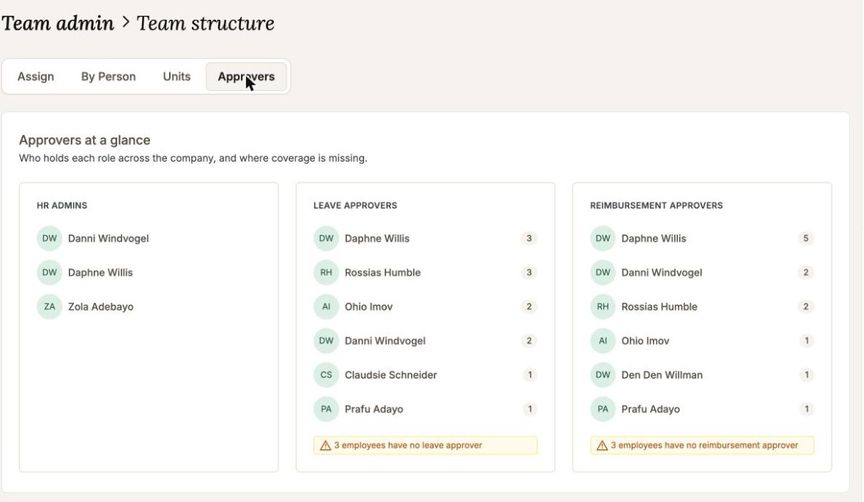
Approvers is the overview: who your HR admins are, who approves leave and who approves claims, and how many people each of them carries. It counts the people nobody covers, so the gap is a number rather than something you go looking for. Underneath, Reporting lines lays everyone out against their cover, and filtering to the gaps gives you the list to fix. Click any row and it opens that person in By Person.