Plans priced to you, not to a rate table
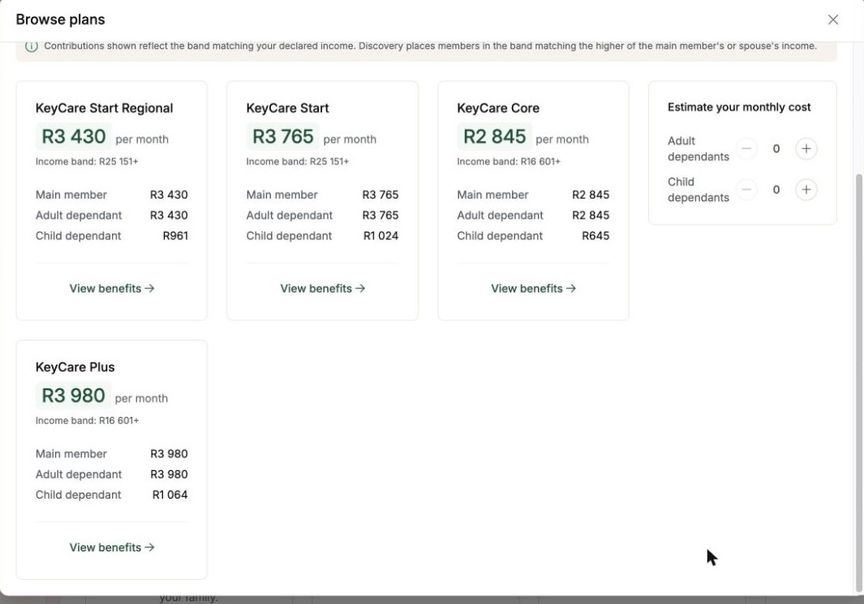
The plan explorer lists what your employer offers with what each plan costs a month. Not a starting price or a range: the figure for a main member, for an adult dependant and for a child, so you can work out a household before you commit to anything.
Where a scheme prices by income, MyBento does that arithmetic for you. Discovery's KeyCare series bands its contributions on household income, so the explorer resolves which band applies and shows that band's price against each tier, using the rule the scheme itself applies: the higher of the main member's or the spouse's income.
Each plan carries its benefits in full, so comparing two of them does not mean opening two documents.
Apply without printing anything
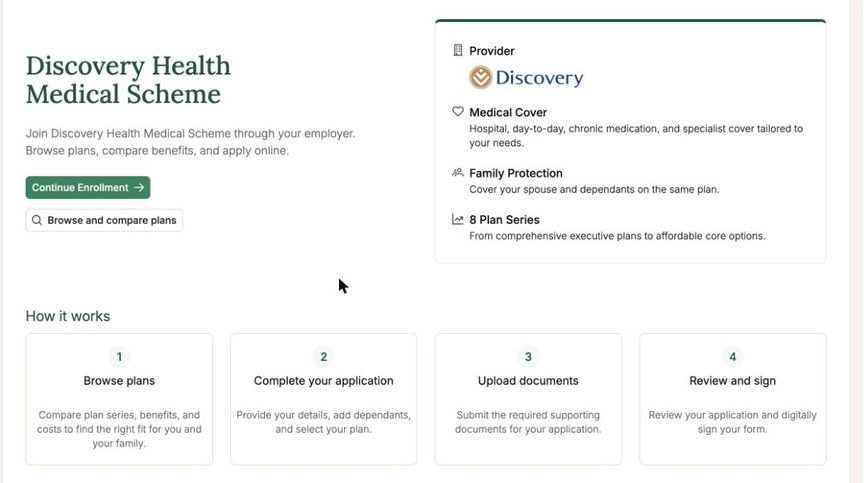
Applying runs in four steps: your details and who is covered, the documents the scheme needs, a review of everything you have entered, and signing. The page says up front what you will have to produce, so you are not halfway in before discovering you need a copy of your ID.
The review is built from the application itself, so what you check is exactly what goes to the scheme. Where a particular plan asks for more, the application asks for more: KeyCare needs your income declared and a GP chosen, and those appear only if you pick KeyCare.
Already a member? Bring it across
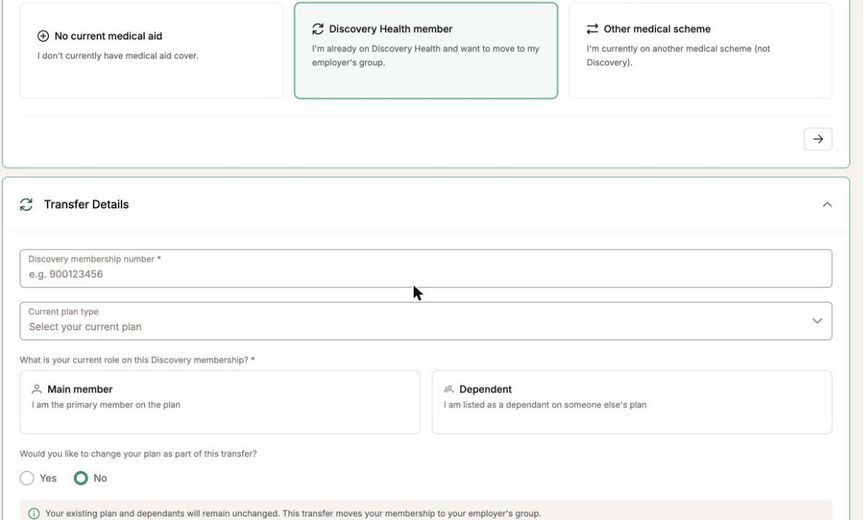
If you are already on the scheme, through a previous employer or on your own, you do not start again. Tell MyBento your membership number and your role on the existing plan, and it moves your membership onto your employer's group.
That route skips what does not apply to you: no plan comparison you did not ask for, and none of the documents a new application needs. Your existing plan and dependants carry across unchanged unless you choose to change them as part of the move.
Your membership, and your family on it
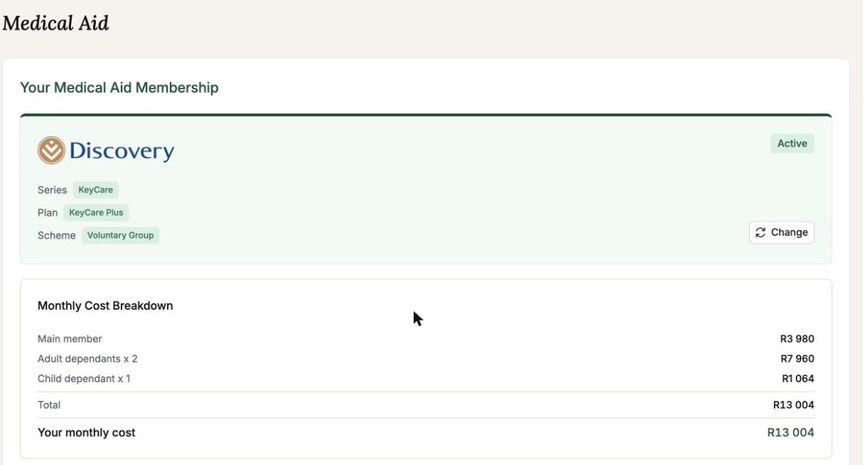
Once you are on, the membership has a page of its own: your series and plan, the scheme you are on, and what it costs broken down by who is covered, so a dependant's share is visible rather than folded into one total.
Adding a dependant, registering a newborn or moving to a different plan all start from there. Every change is kept, so you can see what your plan was and when it moved.